Configuration
~/.config/rex/config.toml (rex config path). Settings in the app write through to this file and
the app reloads it when edited by hand. Every key has a default; rex config show prints the
effective configuration. schemaVersion = 1.
schemaVersion = 1

[general]
launchAtLogin = false
appVisibility = "menubar"        # menubar | dock | both
meetingsRoot = "~/Meetings"
logLevel = "info"                # debug | info | warning | error

[audio]
micDevice = "default"            # device name, or "default"
micPriority = ["default"]        # tried in order when micDevice is absent
micDelayMs = 150                 # mic delay before AEC
aec = true
keepAlive = true                 # silent keep-alive output so the tap never idles

[recording]
format = "m4a"
bitrateKbps = 96                 # per track
fragmentIntervalSec = 5

[transcription]
model = "parakeet-tdt-0.6b-v2"   # see Transcription › Models
beamRetry = true                 # second pass on empty voiced segments
vad = "fluidaudio"
diarization = true
diarizer = "pyannote-community-1-vbx"   # or pyannote-community-1 (streaming clustering)
maxSpeakers = 8
capSpeakersToInvitees = true     # invite list lowers the bound to invitees other than you
speakerThreshold = 70            # 40–90, % cosine distance; lower = more speakers
mode = "post"                    # "live" reserved

[models]
unloadPolicy = "idle"            # keep | idle | immediate
idleMinutes = 3
preloadOnMeetingStart = false
cacheDir = "~/Library/Application Support/Rex/Models"

[detection]
enabled = true
endGraceSec = 20                 # mic released this long = meeting ended; Rex offers to stop, never auto-stops
useWindowTitles = true           # needs Accessibility
autoDismissSec = 0               # 0 = the prompt waits for an answer

[[detection.apps]]
bundleId = "com.microsoft.teams2"
name = "Microsoft Teams"
rule = "ask"                     # ask | ignore (auto reserved)

[[detection.apps]]
bundleId = "Cisco-Systems.Spark"
name = "Webex"
rule = "ask"

[[detection.apps]]
bundleId = "us.zoom.xos"
name = "Zoom"
rule = "ask"

[ui]
playerTimeline = "levels"        # levels | speakers - player timeline rendering
showRecordingBar = true          # top-of-screen bar while recording
lowConfidencePercent = 60        # 30-90 - segments below this get the low-confidence caption

[calendar]
provider = "none"                # none | outlookSnapshot

[attendance]
provider = "none"                # none | teamsSnapshot

[speakers]
you = "You"
youEmail = ""
unknownLabel = "Speaker {n}"
voiceMatching = true
autoAssignThreshold = 0.80
reviewThreshold = 0.65
minEnrollSec = 30

[export]
auto = false
formats = ["md", "srt"]          # md | txt | json | srt | vtt
includeAudio = false
markdownTimestamps = false
markdownType = "meeting-transcript"
markdownTags = ["meeting"]

[notifications]
transcriptReady = true
sound = true
soundName = "Glass"              # any system sound name

[retention]
deleteAudioAfterDays = 0         # 0 = never

[updates]
check = true                     # check for a newer version every six hours
feedURL = "https://rex.pjtlabs.com/releases/latest.json"

[[automation]]                     # see Automations
name = "Summarize"
command = "~/bin/summarize.sh"
args = []
triggers = ["transcript-ready"]
enabled = true
timeoutSec = 600
env = {}
Reference
Every key, its label in the app's Settings window (- when it has no UI), what it does, the values
it accepts, and the default.
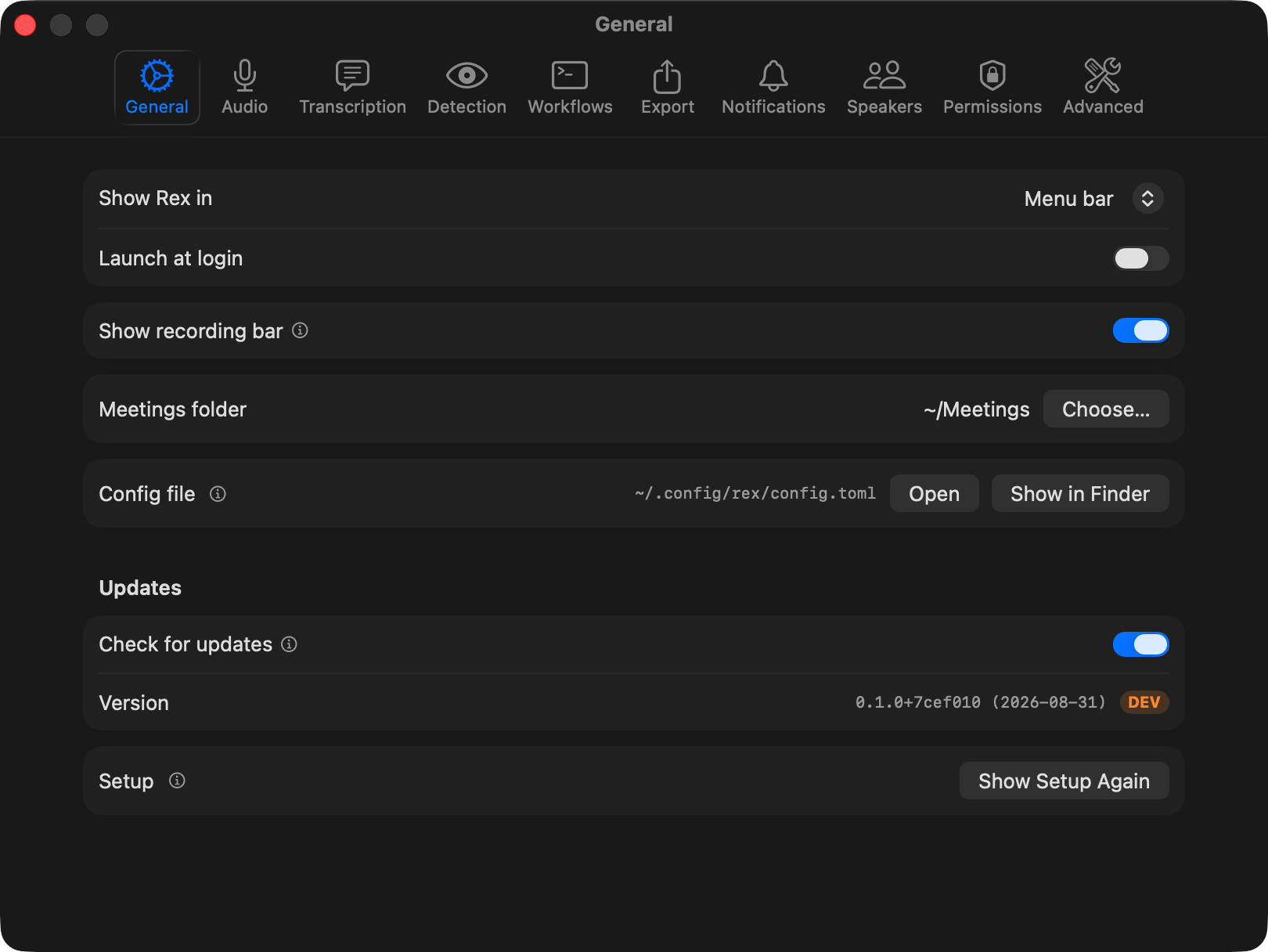
[general] - Settings › General
| Key |
In the app |
What it does |
Values |
Default |
launchAtLogin |
Launch at login |
Registers Rex as a login item so it starts with your session. |
true / false |
false |
appVisibility |
Show Rex in |
Where the app lives: menu-bar icon, Dock icon, or both. |
menubar, dock, both |
menubar |
meetingsRoot |
Meetings folder |
Folder that holds one subfolder per meeting. |
any path, ~ allowed |
~/Meetings |
logLevel |
Log level |
How much detail rex.log records; Debug helps when investigating a problem. |
debug, info, warning, error |
info |
[ui] - Settings › General
| Key |
In the app |
What it does |
Values |
Default |
showRecordingBar |
Show recording bar |
The floating bar at the top of the screen while a recording is running. |
true / false |
true |
playerTimeline |
- |
What the player timeline draws: audio level bars or speaker turns. |
levels, speakers |
levels |
lowConfidencePercent |
Low-confidence flag (Settings › Transcription) |
Segments below this confidence get the Low confidence caption; words a tenth below it get the dotted underline. |
30–90 |
60 |
[audio] - Settings › Audio
| Key |
In the app |
What it does |
Values |
Default |
micDevice |
Microphone |
Input device to record; default follows the system default. |
device name or default |
default |
micPriority |
Microphone priority |
Tried in order when the selected mic is unavailable; default means the system default. |
list of device names |
["default"] |
micDelayMs |
Mic delay |
Delays the mic track so it lines up with the system audio before echo cancellation. |
0–500 ms |
150 |
aec |
Cancel system audio echo (AEC) |
WebRTC echo cancellation of the meeting audio out of the mic track. |
true / false |
true |
keepAlive |
Keep output device alive while recording |
Plays silence to the output device so the system-audio tap never goes idle. |
true / false |
true |
referenceDevice |
- |
Ignored (kept for config compatibility): the AEC reference always follows the global system tap. |
- |
default |
[recording] - Settings › Advanced
| Key |
In the app |
What it does |
Values |
Default |
format |
- |
Container for recordings. |
m4a |
m4a |
bitrateKbps |
AAC bitrate per track |
Recording quality per track; 96 kbps is plenty for speech. |
32–256, steps of 16 |
96 |
fragmentIntervalSec |
Fragment interval |
The file is written in fragments of this length, so a crash costs at most this many seconds. |
1–60 s |
5 |
[transcription] - Settings › Transcription
| Key |
In the app |
What it does |
Values |
Default |
model |
Model |
Speech-recognition model (download under Transcription › Models). |
installed ASR model id |
parakeet-tdt-0.6b-v2 |
beamRetry |
Retry empty segments with beam search |
Voiced segments that decode to nothing are retried with a slower beam-search pass (Parakeet models). |
true / false |
true |
vad |
Voice activity detection |
Finds the stretches of speech in each track before transcription. |
installed VAD id |
fluidaudio |
diarization |
Identify speakers on the system track (diarization) |
Splits the system track into distinct speakers. |
true / false |
true |
diarizer |
Speaker separation |
pyannote-community-1-vbx re-clusters the whole recording (VBx, default); pyannote-community-1 is the streaming clustering the sensitivity slider tunes. |
id |
pyannote-community-1-vbx |
maxSpeakers |
Maximum speakers |
Upper bound on how many distinct speakers diarization may find. |
1–20 |
8 |
capSpeakersToInvitees |
Speaker limit: From invite list / Fixed number |
With an invite list, lowers the bound to the number of invitees other than you. |
true / false |
true |
speakerThreshold |
Speaker sensitivity |
Cosine-distance cutoff for "same speaker" in percent; lower splits voices more readily. |
40–90 |
70 |
mode |
- |
Transcription mode; live is reserved. |
post, live |
post |
[models] - Settings › Transcription and Advanced
| Key |
In the app |
What it does |
Values |
Default |
unloadPolicy |
After transcribing |
What happens to the loaded models after a transcription: stay, unload after idle, or unload now. |
keep, idle, immediate |
idle |
idleMinutes |
Idle minutes |
Idle time before models unload (with unloadPolicy = "idle"). |
1–120 min |
3 |
preloadOnMeetingStart |
Preload models when a meeting starts |
Loads the models during the meeting so transcription starts without a loading delay; holds a few GB of memory while recording. |
true / false |
false |
cacheDir |
Model cache |
Where downloaded models are stored. |
any path |
~/Library/Application Support/Rex/Models |
[detection] - Settings › Detection
| Key |
In the app |
What it does |
Values |
Default |
enabled |
Detect meetings from watched apps |
Watches the apps below for microphone use and offers to record. |
true / false |
true |
endGraceSec |
End meeting after mic released for |
The meeting counts as over once the app has released the mic this long; Rex offers to stop, never stops on its own. |
5–300 s |
20 |
useWindowTitles |
Name meetings from window titles |
Names the recording after the meeting app's window title (needs Accessibility). |
true / false |
true |
autoDismissSec |
Auto-dismiss prompt after |
An unanswered Record / Ignore prompt disappears after this long; 0 means it waits. |
0–300 s |
0 (never) |
[[detection.apps]] - Settings › Detection › Watched apps
| Key |
In the app |
What it does |
Values |
Default |
bundleId |
Bundle ID |
The watched app's bundle identifier. |
bundle id |
Teams / Webex / Zoom rows |
name |
Name |
Display name used in prompts and meeting titles. |
text |
per row |
rule |
Rule |
Ask shows the Record / Ignore bar; Ignore never prompts for that app. |
ask, ignore (auto reserved) |
ask |
[calendar] - Settings › Advanced
| Key |
In the app |
What it does |
Values |
Default |
provider |
Meeting titles from |
Names recordings from the meeting on your calendar right now; outlookSnapshot reads New Outlook's local widget cache (read-only). |
none, outlookSnapshot |
none |
[attendance] - Settings › Detection › Attendees
| Key |
In the app |
What it does |
Values |
Default |
provider |
Organizer & invited from |
After a recording, attaches organizer + invited emails (an attendance block in meeting.json) read read-only from the local Microsoft Teams app. Requires Full Disk Access. Best-effort — never affects the recording or its title. |
none, teamsSnapshot |
none |
[speakers] - Settings › Speakers
| Key |
In the app |
What it does |
Values |
Default |
you |
Your name |
Labels the microphone track. |
text |
You |
unknownLabel |
Unknown speaker label |
Pattern for unnamed speakers on the system track; {n} becomes 1, 2, 3… |
text with {n} |
Speaker {n} |
youEmail |
Your email |
Lets attendee lists tell you apart from the other invitees. |
text |
empty |
voiceMatching |
Recognise speakers |
Match diarized voices against known speakers and enrol new voiceprints. Off keeps existing records untouched. |
true, false |
true |
autoAssignThreshold |
Auto-name above |
Cosine similarity above which an attendee-gated match names a speaker without asking. |
0–1 |
0.80 |
reviewThreshold |
Suggest above |
Matches between this and the auto threshold appear as suggestions in the review queue. |
0–1 |
0.65 |
minEnrollSec |
Minimum speech |
Seconds a voice must talk before a two-person meeting enrols it automatically. |
seconds |
30 |
[export] - Settings › Export
| Key |
In the app |
What it does |
Values |
Default |
auto |
Export automatically when a transcript is ready |
Writes the chosen formats into the meeting's exports/ folder after each transcription. |
true / false |
false |
formats |
Formats |
Which formats to write. |
any of md, txt, json, srt, vtt |
["md", "srt"] |
includeAudio |
Include a copy of the audio |
Copies the recording into exports/ too. |
true / false |
false |
markdownTimestamps |
Include timestamps in Markdown |
Prefixes each Markdown segment with [HH:MM:SS] (applies to transcript.md and .md exports; JSON/SRT/VTT always carry timing). |
true / false |
false |
markdownType |
— |
type value written into the Markdown YAML frontmatter. Empty string omits the field. |
string |
"meeting-transcript" |
markdownTags |
— |
tags list written into the Markdown YAML frontmatter (transcript.md and .md exports). Empty list omits the field. |
list of strings |
["meeting"] |
[notifications] - Settings › Notifications
| Key |
In the app |
What it does |
Values |
Default |
transcriptReady |
Notify when a transcript is ready |
Posts a notification when a transcription finishes. |
true / false |
true |
sound |
Play a sound |
Plays a sound with the notification. |
true / false |
true |
soundName |
Sound |
Which system sound. |
any system sound name |
Glass |
[updates] - Settings › General
| Key |
In the app |
What it does |
Values |
Default |
check |
Check for updates |
Fetches the latest version number every six hours; a newer one offers an Install button in the menu bar and Settings. |
true / false |
true |
feedURL |
- |
Where the version manifest lives; change it only to test a mirror. |
URL |
https://rex.pjtlabs.com/releases/latest.json |
[retention] - Settings › Advanced
| Key |
In the app |
What it does |
Values |
Default |
deleteAudioAfterDays |
Delete audio older than |
Moves old recordings' audio to the Trash (see Retention); 0 keeps audio forever. |
0–3650 days |
0 (never) |
[[automation]] - Settings › Automations
| Key |
In the app |
What it does |
Values |
Default |
name |
Name |
Display name of the automation. |
text |
- |
command |
Command |
Executable to run with the meeting folder as its last argument. |
path |
- |
args |
Arguments |
Extra arguments, before the meeting folder. |
list of strings |
[] |
triggers |
Run automatically on |
Events that start it without you; error fires when another automation fails. [] = by hand only. |
recording-started, recording-stopped, transcript-ready, error |
["transcript-ready"] |
enabled |
Enabled |
Disabled automations never run and show no button; enabled ones can always be run by hand from a meeting. |
true / false |
true |
timeoutSec |
Timeout |
A run still going after this long is killed (SIGTERM, then SIGKILL). |
5–7200 s |
600 |
env |
Environment |
Extra environment variables for the run. |
KEY = "value" table |
{} |
Retention
With deleteAudioAfterDays > 0, Rex moves recording.m4a (and any audio copy in exports/) of
meetings older than that to the Trash - never a hard delete - on launch, every six hours, and
after the setting changes. Only meetings with a complete recording and a ready transcript qualify;
the meeting being recorded, transcribed, queued, or running an automation is skipped. meeting.json,
the transcript and exports stay, so the meeting remains searchable; restore the file from the Trash
and playback works again. The job refuses to touch a meetings folder that is the disk root, your
home folder, a symlink or a folder without Rex meetings.